Wednesday, April 16, 2008

How To Map a Local Windows Folder to a Drive Letter


Why would you want to map a folder to a drive letter? Maybe some folder you work with constantly is hidden under a convoluted folder structure, like:

    ‘U:\Data\User Files\Shared\Clients\VIPClient\Pensky File\Project 232\’

Wouldn’t it be easier to refer to it as: R:\ ?

This is pretty common to do with network locations under Tools -> Map Network Drive. However I didn’t know of a way to do this with local folders until recently. You can either do it via command line or use a simple program known as Visual Subst.

(1) Using “subst” command

Under Windows, there is a legacy dos command named “subst”:

C:\>subst /?
Associates a path with a drive letter.


SUBST [drive1: [drive2:]path]
SUBST drive1: /D


drive1: Specifies a virtual drive to which you want to assign a path.
[drive2:]path Specifies a physical drive and path you want to assign to
a virtual drive.
/D Deletes a substituted (virtual) drive.

Type SUBST with no parameters to display a list of current virtual drives.

C:\>

(2) Visual Subst

Fortunately there is an easier way to utilize this command than having to remember the command line every time you want to use your files. The free windows program Visual Subst will manage these drives for you.

VisualSubst

This program will not only allow you to create these ‘Virtual Drives’ but will also set them up on reboot.

From their site, download the installer if you plan on having it apply the virtual drives on startup. That way, it will install a start menu link for you and give you ready access to all virtual drives.

For anyone who works with a long folder name constantly, you will find that this really helps out when you are dealing with anything that needs to access these folders a lot!


Posted by Deepak at 10:54 PM | 0 comments  
Labels: , ,

Hide Important Folders


Make the Folder Invisible (not hidden)

This works both on Windows XP and Vista, not sure about other Win versions. What this will do is make selected folder invisble, not hidden. The folder will be only visible when you try to highlight it (see below). If you want to make sure that no one discovers it by chance then also move it to the corner of the screen.

Make Windows Folder Invisible

How to Create Invisible Folder ?

    1. Create a new folder.

    2. Rename: Highlight the folder and Click ‘F2′ button. Hold the ‘Alt’ key and type in 0160 (you won’t see those 0160 numbers while typing them). Press Enter. Note, you have to use the numpad to enter these numbers.

    3. Change icon: Righ click the folder >> Properties >> Customize >> Change the icon >> Select the blank one >> Ok.

    Change Folder Icon

    4. Done.

Posted by Deepak at 10:43 PM | 0 comments  
Labels: , ,

Using prism to make a web page into an application.


A great new tool Mozilla is working on is called Prism, and it gives you the ability to create an application for your desktop out of any web service.

Yes now you can have a browser independent program that normally requires a distracting browser window to run. We are talking about your Google Docs, Analytics or... Well, anything actually.

You see we DO get easily distracted and run off on side quests from whatever we were doing (2
hours of reading and replying to email anyone - DAILY?? )

This seems like a great place for us to run our gMai, gCall or anything else we don't want to get distracted from. Web links from the same domain are opened in prism - anything else goes to your default browser - dig?
Now you have a shortcut on your desktop that can open directly to your web shortcut.

From Prism's website:

Personal computing is currently in a state of transition. While traditionally users have interacted mostly with desktop applications, more and more of them are using web applications. But the latter often fit awkwardly into the document-centric interface of web browsers. And they are surrounded with controls–like back and forward buttons and a location bar–that have nothing to do with interacting with the application itself.

Can you think of some good ways to make use of this? Would this make you more productive or do you feel it would be strange?
[Prism Download]

Source: asktheadmin

Posted by Deepak at 10:39 PM | 0 comments  
Labels:
Tuesday, April 15, 2008

19 Awesome (But Lesser-Known) Open-Source Applications for Windows


Unless you’ve been hiding under a rock in Madagascar for the last few years, you undoubtedly already know about the All-Star open-source applications for Windows. I’m talking about applications such as Firefox, Thunderbird, GIMP, OpenOffice, and VLC.

However, there are hundreds of lesser-known but highly-useful open-source applications available for Windows. A few of my favorites are below.

These applications range from moderately popular to downright obscure, but all of them are open-source and FREE. All of them are worth the install time if you have never tried them. As a side bonus, many of them are cross-platform as well.

Here they are, in random order:

zscreen.jpg1. ZScreen

ZScreen is an open-source screen capture program that quietly resides in your system tray until needed. It can take screenshots of a selected region, the active window, or the entire screen. It can even send screen captures via FTP and copy the URL to your clipboard, all with just a single keystroke. Oh yeah, it can also interface with image editing software, such as Photoshop or Paint.net.

If you frequently take screenshots, ZScreen is light years faster than pressing Print Scrn and pasting into MS Paint.

pdfcreator-logo.png2. PDFCreator

PDFCreator allows you to create PDFs from any program that can print. Once it’s installed, simply “print” to the virtual printer that it creates, and the resulting document can be read on any computer with Adobe Reader (or comparable software).

There are several similar programs, but if you dig open-source software, PDFCreator trumps many of the others.

keepass-logo.gif3. KeePass

KeePass is one of those applications that you don’t realize how badly you need until you start using it. It securely stores and manages the login information that you use for e-mail, websites, banks, etc. Unless you always use the exact same login information (a terrible idea!), you need KeePass. It’s even available in a portable version.

I use KeePass to manage hundreds of usernames and passwords. I’d go crazy without it.

handbrake_logo.jpg4. HandBrake

HandBrake is a DVD to MPEG-4 converter that allows you to stick a DVD in your drive and have the video converted to a digital file for convenient viewing. It’s great for minimizing wear-and-tear on DVDs, plus it’s handy if you travel a lot and want to watch movies on your laptop.

For best results, use it in conjunction with DVD43.

notepadplus.gif5. Notepad++

Let’s face it - Windows Notepad is a pretty wimpy text editor, and there are many better alternatives. Notepad++ kicks the original Notepad in the junk pretty hard. Best of all, it interfaces nicely with Filezilla. Here are the features:

Syntax Highlighting and Syntax Folding
User Defined Syntax Highlighting
Auto-completion
Multi-Document
Multi-View
Regular Expression Search/Replace supported
Full Drag ‘N’ Drop supported
Dynamic position of Views
File Status Auto-detection
Zoom in and zoom out
Multi-Language environment supported
Bookmark
Brace and Indent guideline Highlighting
Macro recording and playback

peazip-logo.png6. Peazip

PeaZip is my current compression/zip utility of choice. It can open almost any archive type imaginable (including ACE - be sure to grab the separate plug-in). Peazip can split/join files, offers 256-bit encryption, and integrates nicely into the right-click contextual menu. It even manages to look good in the process.

Hey, there’s also portable version AND a Linux version available. Nice.

bonkenc-logo.png7. BonkEnc

BonkEnc is a fantastic CD ripper, encoder, and audio converter. It’s tiny, lightweight, and is my application of choice for ripping and encoding CDs. BonkEnc can produce MP3, MP4/M4A, Ogg Vorbis, AAC, Bonk and FLAC files, and also features CDDB/freedb lookup.

Along similar lines, if you’re looking for a batch audio/video transcoder, take a look at MediaCoder.

launchy-docu.png8. Launchy

I admit: I’ve been spoiled by Quicksilver on Mac OS X. My favorite similar program for Windows is Launchy, an open-source keystroke launcher.

To launch a program, press Alt + Spacebar, and then type a few letters in the program name and press Enter. Boom! You can also browse folders the same way. Once you get used to it, it’s a huge time saver.

cabos-logo.jpg9. Cabos

Cabos is a Gnutella file-sharing program originally based on Limewire and Acquisition. Unlike some other file-shaing programs, there’s no spyware, adware, or any other crap to junk up your computer.

gnucash-logo.png10. GnuCash

If you recoil in horror at the bloat of financial programs such as Microsoft Money and Quicken, GnuCash may suit your needs. It’s a slimmer version of those programs, and it has all the features I need for managing my meager amount of money.

The interface is easy enough to understand. It actually looks a lot like a digital checkbook ledger. Don’t be fooled, though - GnuCash can handle the needs of much more demanding users.

rssowl-logo.gif11. RSSOwl

RSSOwl is a cross-platform RSS reader. It allows you to easily track updated content on multiple sites. I really like the tabbed interface.

I find RSSOwl especially useful on a laptop, but on my always-connected desktop I prefer a web-based RSS reader, such as Google Reader.

vdub_logo.PNG12. VirtualDub

VirtualDub is a free video capture and processing utility. Wait, it’s more than that. VirtualDub lets you capture video and then manipulate it with a multitude of plug-ins and filters. It isn’t a full-fledged non-linear editor, but it packs a powerful punch for a free program.

If you work with video on Windows a lot, you probably already know about VirtualDub. If you’re just getting into video editing, you should grab VirtualDub immediately. Heck, it doesn’t even require installation.

eraser-logo.png13. Eraser

If you are paranoid about someone else recovering your sensitive deleted data, you owe it to yourself to check out Eraser. When you delete a file, your operating system really just removes the reference to the file from the file system table. The actual data is still present and can be recovered with an undelete utility.

Eraser securely shreds your sensitive data by overwriting several times with multiple, carefully-selected patterns. In other words: once you erase it, it’s gone!

paint-net-logo.png14. Paint.NET

Paint.NET is to MS Paint what NotePad++ is to Windows Notepad. It’s a dandy little photo editor that supports layers, unlimited undo, and a host of other features. By all rights, it should come with Windows by default.

Paint.NET isn’t meant to fill the shoes of bigger applications like Photoshop or The GIMP, but I use it almost every day for basic photo manipulation.

infrarecorder-logo.png15. InfraRecorder

Need CD/DVD burning software for Windows? It doesn’t get much better than InfraRecorder (by the same author of TUGZip).

InfraRecorder can burn audio/data discs. It can handle multi-session discs, creation and burning of disc images (ISO and BIN/CUE), and can even save audio/data track information to separate files. Oh yeah, it also has a portable version.

autohotkey-logo.png16. AutoHotkey

It’s hard to know where to begin with this one. What can you do with AutoHotkey? Almost anything!

For starters, by using custom keystrokes and mouse-clicks, you can automate practically any repetitive task. Define any shortcut for Windows. Remap keys and buttons any way you please. Control your mouse cursor with your keyboard. By writing your own scripts, the potential is limitless.

gantt-logo.png17. GanttProject

If you need to do any project management, GanttProject will help you get everything organized. As the name implies, it uses Gantt charts and resource load charts to help break a project into a tree of tasks, complete with dependencies.

GanttProject even allows you to exchange data with Microsoft Project, though you may find that you have no reason to do so.

mp3gain-logo.gif18. MP3Gain

MP3Gain is a simple and elegant application that serves one main purpose - to automatically adjust MP3 files so they all play at the same volume. It does it without decoding and re-encoding, so the quality remains the same. No more fiddling with the volume between different songs.

filezilla-logo.png19. Filezilla

Way back in the day, I used WS_FTP. Now I exclusively use Filezilla for my file transfer needs. It supports SFTP, allows for bandwidth speed limits, and easily saves server settings.

Best of all, it seamlessly combines with text editors (such as Notepad++) for quick-and-dirty file editing on the remote server

Posted by Deepak at 8:55 PM | 0 comments  
Labels:

7 Google Search Tips and Facts


If you use Google (and who doesn’t? Oh! well maybe these people don’t), here are a few simple, interesting and useful Google search tips and facts you may have forgotten all about:

1. The asterisk is a search wildcard. For example, searching for three*mice finds three blind mice, three button mice, etc.

2. Google search currently has a hard limit of 32 words - that’s keywords and special syntax combined. Search terms after the first 32 words are ignored.

3. Google’s Boolean default is AND, which means that, if you enter query words without modifiers, Google will search for all of your query words.

4. The Google synonym operator, the ~ (tilde) character, placed in front of any number of keywords in your query, asks Google to include not only exact matches, but also what it thinks are synonyms for each of the keywords. For example, search for ~legal, you will get results for lawyer, attorney, law, etc.

5. Google is case insensitive. If you search for Three, three, THREE, even ThrEE, you get the same results.

6. Numrange searches for results containing numbers in a given range. Just add two numbers, separated by two periods, with no spaces, into the search box along with your search terms. For example, If you’re looking to spend $800 to $1,000 on a nice 3 to 6 megapixel digital SLR camera, Google for: slr digital camera 3..6 megapixel $800..1000.

7. Page size in Google results is never going to be more than 101 KB. That’s because Google doesn’t index more than 101 KB worth of a given web page.


Posted by Deepak at 8:52 AM | 2 comments  
Labels: ,
Friday, April 4, 2008

40+ Tools to Rip, Mix and Burn PDFs

There are plenty of ways to to rip, mix and burn PDFs. And, we surely need these during our normal routine work. I am bringing to you the most popular ones.

Some tools and services are free, some are commercial. Nevertheless, they are cheaper than their well-known alternatives.

RIP PDFs ONLINE

zamar

Zamzar lets you convert files without the need to download software. It supports conversion between a wide variety of different file formats. Support for new formats is added all the time.

Adobe’s Create PDF Online convert to Adobe PDF from a wide variety of applications including web pages. We can also do optical character recognition (OCR) on Adobe PDF and image files.

BCL Technology’s PDF Online helps people quickly generates PDF at the time they need it the most. As a web based service, PDF Online allows you to quickly generates PDF from your PC, Mac, or Linux, from your home, your office or anywhere in the world.

ESP’s PDF-o-matic is a simple PHP script that uses HTMLDOC to convert the web page of your choice.

Neevia Document Converter eXpress makes it possible for anyone to instantly convert their files to PDF or Image without the need of installing special software.

PDF4U offers two easy ways to create PDF documents online. You can upload documents directly from your computer to the server, or you can download and install FREE PDF4U Printer.

Text2PDF is a flexible and powerful tool to convert txt, text, textual report, spool into pdf (form, invoice, report, sale sheet). It can be used alone, or you can use it from other applications to convert your documents on the fly. It provides support for Japanese, Chinese (simplified and traditional), Korean, Czech, Greek, Polish, Hebrew, Thai languages.

Loop Service is a free web-based application that allows you to upload, convert and combine files to PDF. You do not need to install software or be working from your desktop computer. LOOP is delivered on-demand and available for use 24/7 through a web browser.

DESKTOP RIPPING

bluebeam

Ghostscript an interpreter for the PostScript language and for PDF, and related software and documentation. Ghostscript is the name of a set of software that provides: an interpreter for the PostScript (TM) language and the Adobe Portable Document Format (PDF — sometimes confused with Acrobat, Adobe’s PDF browser/editor product), and a set of C procedures (the Ghostscript library) that implement the graphics and filtering (data compression / decompression / conversion) capabilities that appear as primitive operations in the PostScript language and in PDF.

Softland’s doPDF is a free PDF converter for both personal and commercial use. Using doPDF you can create searchable PDF files by selecting the “Print” command from virtually any application. With one click you can convert your Microsoft Excel, Word or PowerPoint documents or your emails and favorite web sites to PDF files.

PDF995 makes it easy and affordable to create professional-quality documents in the popular PDF file format. Its easy-to-use interface helps you to create PDF files by simply selecting the “print” command from any application, creating documents which can be viewed on any computer with a PDF viewer. Pdf995 supports network file saving, shared printing, Citrix/Terminal Server, custom page sizes and large format printing.

Google Docs has a save-as-PDF function, and offers simple routes to sharing.

primoPDF

ActivePDF’s PrimoPDF converts to PDF from any application by simply ‘printing’ to the PrimoPDF® printer. Within minutes, you can create high-quality PDFs by converting from Word, Excel, and virtually any other printable file type.

MyPDFCreator allows to create high quality PDF files, protect and secure your PDF files, combine multiple documents.

CutePDF Writer creates professional quality PDF files from almost any printable document. It is absolutely free for personal and commercial use. No watermarks. No popup Web advertisements. Supports 64-bit Windows.

PDF Creator easily creates PDFs from any Windows program. Use it like a printer in Word, StarCalc or any other Windows application.

Global Graphics’ Jaws PDF Creator provides high quality PDF creation, manipulation, annotation, merge and forms functionally in one convenient, affordable software package. It is available for the single user, small office and enterprise

Nitro PDF is built from the ground up as the perfect PDF product for business and enterprise, combining an extremely competitive price with a no-compromises feature set that gives users the power to create, edit, organize, secure and convert PDF.

OpenOffice can also toast documents into PDF.

Nuance’s PDF Converter does cost some bread, but it opens up a lot of cool features you never knew you couldn’t live without (gives your right-clicking ring finger more PDF power than you thought was possible).

e-PDF Converter instantly converts PDF files into documents, spreadsheets and forms that look exactly like the original. In addition, it is 1/3 cost of the alternatives, and provides features not fond in other products.

Smart PDF Converter is both easy to use and powerful. It allows to convert PDF to editable Word document, to HTML, to TXT, XLS, JPEG, RTF, TIFF and other file formats.

DocuDesk’s deskPDF create 100% Adobe Acrobat compliant PDF’s. In one easy step, whether a Microsoft Office user, a CAD user, graphics software user, or user of one of over 300 Windows applications, deskPDF can quickly create professional and accurate PDF’s.

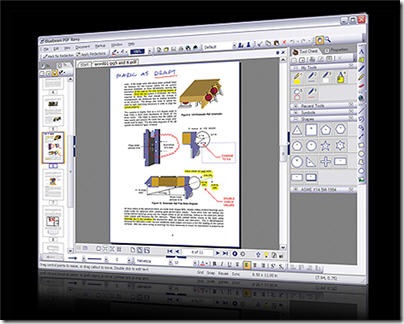
Bluebeam PDF Revu is the ideal PDF solution for firms that need a smart, simple and affordable solution to create, view, markup, and edit PDF files. Bluebeam adds buttons to the toolbars of Word, Excel and PowerPoint, so creating PDF files from these applications has never been easier. For all other Windows files (WordPerfect, Outlook, image files, etc.) Bluebeam includes the Bluebeam PDF Printer driver. Writing files to PDF and nine other file formats is as simple as printing a file.

Foxit Reader provides a complete PDF solution. These affordable high quality solutions range from generic PDF desktop products to customized PDF applications and software development kits for various platforms.

Sowedoo’s EasyPDF Converter helps you to convert in a few seconds your documents (maps, proposals, reports, notes) into light and protected PDF files. Then, you can send your PDF files by mail or share it on the Internet without any problem.

MIX YOUR PDFs

abbyy

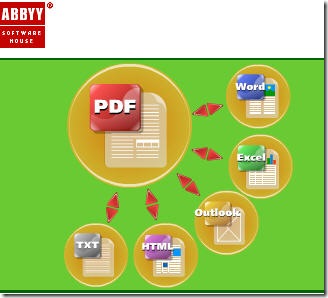
ABBYY PDF Transformer combines PDF conversion and PDF creation functionalities. PDF Transformer instantly and accurately transforms any type of PDF file into editable formats like Microsoft Word, Excel, HTML or TXT. It also provides the ability to generate PDF files directly from a Microsoft Word document, Excel spreadsheet, PowerPoint presentation or Visio diagram. In addition, the program allows creating PDF files from any Windows application using a PDF printer driver.

Free PDF Text Reader for easy PDF to text conversion. Fast and easy to use interface that supports opening of PDF files for saving as text files. Also supports printing of the text, copy to clipboard, page selection, and viewing of PDF info tags. No third-party software is needed. 100% Free for personal use. No adware, no spyware.

PDF U Append automates the process of appending multiple PDF files. It will append your many PDF documents into one PDF document at the click of one button. Features include drag and drop and loading, append page ranges, saving batch lists for later use & many other options.

Apago provides innovative software solutions for the manipulation of PDF, PostScript, and common graphics formats.

Arts PDF’s PDF Linker automates the painstaking task of auditing links for validity. It generates several types of CSV and PDF reports, including ones that examine all links and bookmarks, all external dependencies and all bad actions. The editing tools enable you to copy and apply links across document collections and to delete dead ones. They also enable you to correct the properties and magnification of links, reset URLs, filenames and base URLs, and more.

PDF2Text focuses on converting PDF file to TEXT file and XML file. It also provide components to convert Word to Text, convert Excel to Text, Convert Excel to XML, Convert Excel to CSV, Convert PowerPoint to Text.

VeryPDF’s Advanced PDF Tools is a fast and easy to use utility to maintain your PDF files, it allows you to edit or add data into the document information fields of single or multiple PDF files, it also allows you to set open action, page layout, page size, page margin, page orientation, metadata, optimize for the web (linearize), compression and others into your existing PDF files.

Batch Stamp Tool is a command line and batch tool that can stamp PDF documents with text and image stamps and watermarks.

BURN PDFs

scribd

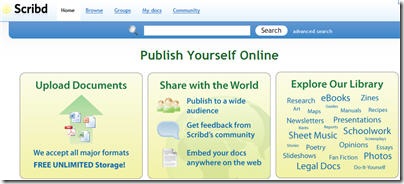
Scribd lets you publish and discover documents online. It is like a big online library where anyone can upload. Scribd makes use of a custom Flash document viewer that lets you display documents right in your Web browser. There are all sorts of other features that make it easy and fun to publish, convert, embed, analyze, and read documents.

4Shared offers 5 GB of free space and PDF document-sharing access.

DriveHQ lets you store, access and share files online from anywhere at anytime. Includes explorer-like web interface and the state-of-the-art FileManager 3.8

YouScript is the free online service that allows users to share their writing with other users and writing groups worldwide.

My Docs Online helps individuals or business groups with online file storage, online backup, delivery and collaboration.


Free Online File Storage - Huge Post

Online file storage services allow you to save, browse and share files, photos, and documents from any computer or mobile device.

Online Backup
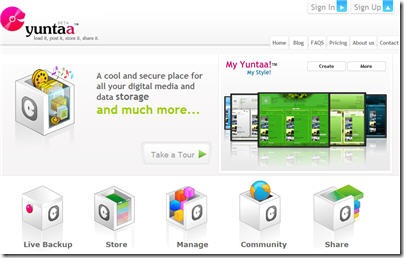
yuntaa

Yuntaa is currently in Beta mode and offering Free Accounts for everyone, although you can sign up for a paid account if you’d like more storage space. Your Free 1GB account will remain free even after it moves into production mode.

BlogBackupOnline provides an effortless way to backup, restore, and export your blog. No software or programming required. Backing up your blog is free while BlogBackupOnline is in Beta. 50mb of storage space is allocated per account.

Egnyte backups your files, stores them securely, exports them back to your computer in a crash. Free account provides 1GB storage.

gDisk is a software that turns your GMail account into a portable hard drive so you can always have your important files accessible across the Internet. Requirements: a Mac with Mac OS X (10.3 or above) and a Google GMail account.

MyOtherDrive provides Internet users the ability to store online and share videos, music, photos - any file. The site provides each user with 5GB of storage space that can be selectively shared. Unlike other online storage sites, MyOtherDrive allows you to upload files in bulk (not one by one like so many sites do). The uploaded files can be any size (up to 2GB). The site allows users to create groups and share their folders selectively to these groups (friends, family, coworkers, etc.) . You can define as many groups as necessary and your friends can be placed in more than one group.

Omnidrive empowers you to access, edit, and share your files from anywhere with just a web browser. Free account provides 1GB storage.

Steekr stores online your music, photos, videos and other files. You no longer have to “take” them with you, they are already available everywhere. Free account offers 1GB storage (250 songs, 500 pictures).

Textive offers to store and share all the good stuff you write (like trip journals and term papers, etc) for free. And if you do make it available for others, Textive will pay you.

Sending Services
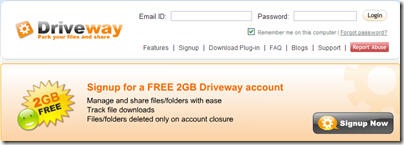
driveway

Driveway enables to upload multiple files, upto a maximum limit of 500 MB per file. free account provides 2 GB storage. Users can manage and share file folders with ease, track file downloads.

DropSend helps you do two things: send files and store files online. Free account provides 250 MB of online storage. It allows to perform 5 sends per month. Max size of file is 1 GB. Files can be downloaded 7 times.

FileFactory lets you host files up to 300MB for free. You don’t have to register and there is nothing to download. Your files can be downloaded an unlimited number of times.

EvilShare allows to upload and share you files for free. You can upload max 128 MB per file.

JustUpIt requires no registration and is free of charge. There is nothing to install and no special software required. All you need is the browser you are using right now. A file can be up to 100mb.

Jagbox allows to upload a file up to 100MB in size, share the link, and set an expiration time.

Localhostr.com offers to upload a file up to 50MB in size, share it with friends.

mailbigfile

MailBigFile requires no registration. You can send up to a 100MB file to one recipient.

Pandafile is an easy way to put something on the web. Just upload your file and share it with the world. Note that Pandafile reserves the right to remove any uploaded file at any time without any notice.

SEND6 is a professional free service for fast and reliable file delivery on the Internet. You can send up to 6 files at once. No registration is needed. It provides access to your address book on Outlook, AOL, Hotmail, Gmail, and Yahoo.

Sharebee is a free service that relies on advertising to support this service. Max file size is 100 MB.

With Storeandserve you can share things like videos, audio clips, pictures, documents, and much more. You receive a set of links to post on MySpace, weblogs, email, message boards, and instant messengers. No registration required.

Verzend.be sends files up to 1GB for free is a place for you to upload your files and have them picked up by someone else at a later time. Recipients you specify are sent an email with instructions on how to download the file. Files are removed from the system after 7 days non activity, regardless if they have been picked up or not. You can upload any type of file, mp3, movies, docs, pdfs, up to 1000MB each.

With YouSwap you can upload and share unlimited files for free.

Storage/Sharing Services
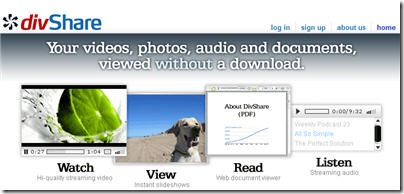
divshare

Divshare Upload unlimited files. Serve unlimited downloads. Files stay online forever. For large businesses and publications, DivShare offers powerful and flexible enterprise solutions that provide fully branded, easy-to-use hosting for video, audio and other files.

BigFilebox offers file hosting and sharing services. Free accounts includes 500 MB storage, and allows 250MB file transfer.

BooMP3 offers free unlimited audio hosting. You can upload either anonymously or you can log in.

Box.net is a service that allows you to have 1GB of free online storage without ads. You can have 5GB for $5 a month or 15GB for $10 month. The only limitations of the free account are: 10MB file size limit and no phone support.

DataFileHost - Max. file size 10MB, unlimited uploads, download limit is 2.5GB/month for each file and for files smaller than 1MB there is no limit. File kept until no downloads for 30 days.

DepositFiles allows free storage of your files on our servers for any period of time. The largest possible size of stored file is 2000MB. The total size of the stored files is unlimited.

DropBoks is a little website that allows you to securely store your files online. No bells and whistles, just simplicity. It offers 1 GB of storage space. You can upload/download files (any format) as large as 50 MB. It’s free, though we will soon be offering the option to upgrade your storage for a small monthy cost.

Ewedrive is not just on-line backup. It’s your complete Internet hard drive. 1GB is free, buy-as-you-need or go Unlimited. No software to install, no file size limits You can encrypt and store files your way.

eSnips is a social media sharing site that provides 1GB of free storage to upload any type of file. Files can be organized into folders and for each folder you can determine a different privacy setting. Folders can be private, shared with a group or public.

exaroom’s free account enables you to connect with family and friends, access friends’ files from any browser, share and remotely access your stuff.

FileFront allows user to upload as many files as you like in any format and there’s no LIMITATION storage in each member account. Uploading file can be up to 1GB. You can also navigate to add blog, photo, file and video. The only limitation is do not upload a large file if your connection speed is too slow or inactive as you will probably end up with a hanging screen after 10 hours processing. FileFront require registration.

With FileDen’s free file hosting and online storage service it’s easy to share files across the Internet with friends, family, work associates or anyone else.It allows users to direct link to their files also giving you the opportunity to embed your files into your webpages, myspace or other social networking profiles. It provides 1GB of personal storage space, a 50mb maximum file size limit, 5GB of monthly bandwidth.

FileHo is an online one-click file-hosting service. It allows users to upload, host and share files for free. You may share uploaded files amongst your friends or wherever you want. You are welcome to use your favorite FTP client for uploading your files to FileHo.
Files Upload

FilesUpload is a good alternative for sending large time- and money-wasting e-mail attachments. It offers is a free file hosting service. The scheme is simple: once a file has been uploaded to the site, you can just e-mail the link to the recipient. The service is free and does not require any complex program to be installed.

FREEFILEHOSTING is a reliable and dedicated hosting for almost any occasion ( forums, auctions, instant messaging, chat, bulleting boards, and e-mail). You can choose to share your download link with anyone or everyone. You can also hotlink your images for use on weblogs or personal web pages. Max File Size is 3 MB.

flypicture is a great place to store your picture files, audio files, movie files, or other documents online. This service is available free for blogs, forums, netcasts, or auctions.

HushMail offers a web-based free email and online file storage service with 2MB of shared file/email storage space and very powerful 2048-bit encryption for maximum security. HushMail implements a number of spam control features such as allow/block lists and a challenge/response system. Service features include external POP3 email retrieval, an address book, autoresponders, digital signature verification and end-to-end encryption of email, attachments and stored files. The premium ad-free service level adds IMAP support, plus up to 128MB of secure file/email storage.

in.solit.us is an easy way to upload and share your files. Whether you decide to make your file public, share it with a group of users you define, create download codes, automatically e-mail them or keep the file just for yourself, it’s your choice.

MediaFire allows free unlimited uploads, unlimited downloads, unlimited bandwidth, multiple simultaneous downloads and no sign up required. You can also easily access your files from anywhere with a free account and your own “My Files” page.

MediaMax gives you a private and secure place to upload, store, access, and share your personal videos, photos, movies, music, and files. Create a free account and get 25 GB of secure online storage. You will be able to download or share 1GB/month, and send files up to 10 MB in size.

MyDataBus is the easiest way to store, transfer, and share your files online. Post files for MySpace, eBay, LiveJournal, Craigslist & more. It offers 10 GB of Storage. Upload large files- up to 1.5GB. No transfer limit for personal files.
megaupload
MegaUpload is a leading provider of online storage. MegaUpload allows to send files up to 500MB, offers ad-financed free and affordable premium online storage, sophisticated uploading and downloading tools, and high-volume business accounts including pay-per-download.

MegaShares allows to upload whatever you like without a required registration. The single session upload limit is 1.5GB (1,500 Megabytes!). Unlimited File Life: 25 Days.

Megashares is all-in-one file hosting service. It offers a Java-based web application for uploading entire folders all at once, upload resuming, downloading from your FTP for backup or mirroring and more. Megashares is your one-stop file hosting service for you, your friends, and colleagues.

Mihd.net is a filehosting service with no artificial limits. Its load balanced cluster of linux dedicated servers allows to offer the following services absolutely free to our users: resumable downloads, download accelerators are allowed, no daily / hourly download limitations. Mihd.net does not block users by country or ip. Split archives are allowed. You don’t have to install anything to download any files (no toolbars, spyware etc).

QuickSharing - allows unlimited downloads. Free to use, there is absolutely no money involved, you can use this service for free. 500MB limit per file, upload and share as many as you want. We only delete if the file is not accessed within the past 30 days.

Speedyshare allows everyone to upload files to its servers, and publish the download links on the World Wide Web. User is allowed to upload only legal files which are freely distributable. Shall the user upload anything illegal, it will be deleted immediately. The upload limit is 30 MB per each upload (1500 MB for registered users). User is allowed to upload more files separately.

Supload is a free file hosting - upload and share images, music, audio, videos, or any kind of files. It is great for MySpace, LiveJournal, eBay, Xanga, and anywhere you can post photos or videos! File size limit: 200MB, download limit: 30, downloads file life: 7 Days.

Turboupload allows to send your large files to your friends or host your files (backup) totally free. Provides absolutely free hosting. Here you can host legal files like backup from your PC or your home made movies or your digital images or your excel/word documents etc. Number of downloads is unlimited.

Upfile.com is a free hosting service. Here you can upload videos, audio, images, software and another documents, to the Internet for free. The maximum file size unlimited.

Upload2 lets you easily backup your important files (up to 25 MB each) and store them on our servers for as long as you need. There is no limitation on files size, their number, names and extensions. You can access your files from any computer, share photos, pdf files, videos, music and other files that are too big for email.

Uploading is a leading provider of services that allow secure uploading, transferring and file sharing. Maximum size of the uploading file is only150 Mb, because that the downloading of bigger files often gets interrupted. Considering this limitation split archives and separate downloading of every fragment is allowed. Thus, if you need to upload a file bigger than 150 Mb, you should just split it and upload all its fragments separately.

UploadingIT is the easiest way for you to share your files with you friends, family, and the world safely. It offers up to 15gb of online disk space to store 1000’s of files, with 1GB of daily bandwidth for you to share those files will anyone any day of the week.

XDrive get 5GB of FREE space, and save a secure copy of your photo collection, home videos, music, and any other digital file.

YahooBriefcase is a free online storage system with 30MB of space, and Yahoo Mail integration. You can either keep your files private, or set up a specific list of people (using their Yahoo IDs) who are allowed to view the files. A premium version of this service is also available, with more storage space and the ability to share files publicly.

YourFileLink is a free file hosting service which provided both security, reliability, and fast uploading / downloading speed.

ZShare uploads files, images, videos, audio and flash for free. Simply use the upload form below and start sharing! You can also use zShare as your personal file storage: backup your data and protect your files. File Size Limit: 100MB Download Limit: Unlimited File Life: 10 Days (Deleted only if there is no download activity in 10 days).

Zupload is a service provider powered by dedicated servers. It offers a fast and simple way to share files. All files web hosting are on powerful and stable linux dedicated servers. It features 500 MB Max file, unlimited downloads, fast upload/download speed.


Thursday, April 3, 2008

Create Animated 3D avatars online

Fix8 is a free and easy to use interactive communication tool that animates expressions and movements in real-time over 3D avatars. All you need is your PC, a webcam, and a dash of creativity. Use a wide mix of creative tools and accessories to “dress up” and create animated videos for sharing.

You can also share avatar animation with friends in real-time IM webcam chat.
For those who wasted creativity.
For those who live and think in a three-dimensional world.
For funny, ironic and original.
For those who have free time.
To all of them I recommend Fix8 an application that allows users to generate three-dimensional animations thanks to an interesting technology that mixes the reality of your face in a webcam components with entertaining cartoons.

Posted by Deepak at 10:52 AM | 0 comments  
Labels:

Rounded corners to image


Roundpic is a online tool available which gives rounded smooth edged-cut to your images. This effect to your images an help bloggers and website owners to avoid sharp square edges as a default. Now they can give rounded effect with an ease.

How it works?
You just have to upload any image from your Hard-drive or URL; select radius curvature and export it. These tools are quite helpful when you want to retain a certain line in the design of a blog or web are quick and successful.
Posted by Deepak at 10:50 AM | 0 comments  
Labels: ,

Create 3D Text Online


3 D Text Maker is a Web application that lets you create animated gif with text in 3 dimensions. The interesting thing about this application is that many can set the parameters of the animation, as the format of the text, the time it will be moving (excellent not to disturb our readers with continuous movement), the depth of the text, and total size type animation.The results are not bad for the time it takes to create them.


Posted by Deepak at 10:36 AM | 0 comments  
Labels:

Create Online signatures | Hyplet

Easy way to create a signature relatively elegant for your emails and communications in the Internet world.
Hyplet allows you to choose a design for your business card, after being supplemented with your contact information, you can include in your post WebMail, posts from blogs, social networks, etc..
They explain how to add a signature HTML Gmail, Orkut, facebook and other tools of our everyday life.
Although it lacks most graphic options it is interesting for those who do not have time to do a more sophisticated design.
Posted by Deepak at 10:08 AM | 0 comments  
Labels:

Wrap pictures into polaroid style frame | Instantizer

imagephp.jpg

Instantizer is another Free online graphic tool to convert your images into polaroid style frame i.e. pretending to be a snapshot. Creation of such pictures is so simple with Instantizer, All you have to do is to upload an image - Add a word for description part (which appears at the bottom of the result image) and set the degrees of rotation and you are done.

Source : Blog and web

Microsoft offers 5GB of online space to store your files |Skydrive

Microsoft is providing 5GB of space to store your files online. As the above picture illustrates, you can save files for yourself, share files with friends & also share on world wide web. It provides three level of access control for your files.

skydrive

Private: Store files which are only accessible to you. This could be used to store files which are private & should not be accessible to anyone else.

Shared: Share files only with your friends, but they need to have an MSN or Hotmail account. Other than your friends can’t access these files.

Public: Upload files to public folder to make it available to everyone. After uploading files you can share link with anyone & they can download the file. If you have a web page or blog & want to provide a download to your visitors, it also provides attractive badges to insert in your web pages. Clicking on it, user can download that file.

Users who already have MSN or Hotmail account can straightaway start using it by logging in. If you don’t have one, you can sign up for a free account. Sign up or login to Skydrive at http://skydrive.live.com/

Source : techbangalore.com

Airtel launches internet portal Airtel Live

Airtel has launched internet portal airtellive.com for it’s user base. The portal is built in association with Google using Google Personalized Home Pages. This portal is made for Airtel Broadband users. Users can get simple yet powerful applications for free. Applications & services includes email, documents, presentations, spreadsheets…etc. Portal is co-branded by Airtel & Google. Airtel also partnered with shaadi.com, 24×7 Guru.com & Naukri.com to provide exclusive offers to it’s users on portal.


Posted by Deepak at 9:40 AM | 0 comments  
Labels:

Unzip your file archives online | Wobzip

Wobzip

WobZip online is a very interesting application that allows us to decompress files from its website. And why would that be interesting or useful? Because not only works with files on your hard drive, but also with URLs. So, you can access files and directories contained in the compressed file, without having to download it in its entirety.

The limit of file size is 100 MB, though we imagine that this is because they are still in testing phase, precisely because what is most interesting is the ability to access parts of larger files. Extensions that support, for the moment, are 7z, zip, gzip, tar, bzip2, rar, cab, arj, z, cpio, rpm, deb lzh, split, iso and chm. Other Limitations are that it does not support Unicode and files cannot be encrypted/password-protected.

Link: http://wobzip.filetap.com/


Posted by Deepak at 9:34 AM | 0 comments  
Labels:
Subscribe to: Posts (Atom)
Blog Widget by LinkWithin