Showing posts with label Internet. Show all posts
Saturday, November 13, 2010

SharedSafe Utilizes Free Email Space For Private File Storage And Sharing

With the increment in popularity of online file storage, cloud computing and shared services, file sharing has attained an entirely new meaning. As of now online file storage services are the hottest commodity in market, with services like Dropbox and SugarSync taking the top spot, and file sharing giants like RapidShare, MegaUpload and many others crushing out competition. However, one catch with most of these services is that they’re free only for the most ripped-off version of what they can really do. Hence this division had yet to see a really impressive ‘free’ solution.

SharedSafe is an advanced utility with a different approach. It utilizes all that free space in your email account and turns that into free, shared, online file sharing space. You can synchronize any number of local folders across multiple computers. All shared content is encrypted and secure.

SharedSafe menu

Shared safe itself is not a service. It basically works with any IMAP supported email service, and can create file sharing folders on that email server with ease. The only usage requirement to utilize SharedSafe’s added functionality is to have it installed on your machine. Once the initial setup is complete, you will hardly ever need to interact with the software itself again. Once local shared folders have been established on each machine, any changes to one will be reflected in all, as the service will continue to function in the background. It is just like creating your own version of Dropbox!

The first time setup requires you to provide your email credentials, which is not stored by SharedSafe. There is no sign-up required if you already have an IMAP supported email account (like Gmail).

sharedsafe

Once an email account has been linked to a local shared folder, SharedSafe adds the sync features to Windows’ context menu, allowing easy access. It also displays the amount of free space available on the linked email account/folder.

SharedSafe context

SharedSafe is a useful, light and highly functional application that allows you to take full advantage of the free file space provided by various webmail providers. One thing to remember here is that SharedSafe is in beta, and it’s license is valid for 45 days after install. Hence as long as the application remains in beta, all you need to do when your license expires is to download and install a fresh copy to get another 45 days worth of usage. Looks like a major annoyance to us!

Update: The developer of this application contacted us, clarifying that the intention behind this 45 day limit is only to have the users test all the features during this time, and to have all the users upgrade to the latest version so that they can benefit from all the new features. They have also guaranteed that from the next beta version, the trial limit will be increased to 90 days!

SharedSafe is a Windows-only application, which is tested on Windows 7 x86 system.


Download SharedSafe

Posted by Deepak at 12:33 PM | 0 comments  
Labels: ,

PhotoRocket – Easily Share Photos From Windows Context Menu

Social Networks has changed our approach towards how we view our digital life. Particularly beginning with Facebook, photo sharing has hit sky-high. Today it is common and a routine to snap hundreds of photos at a vacation or trip to some exotic location, parties, events, festivals etc, and share them with everyone that matters to you via either social sharing websites, or email. Both these methods, however, are rather time consuming and involve quite a few steps.

Here’s where PhotoRocket comes into play. It is a free application (currently in Alpha and invite only) with a fresh approach towards photo sharing. The thought behind PhotoRocket is to make photo sharing as simple as selecting photos, selecting recipients and clicking the send button - no resize hassle, no long waits, album creations etc., and that’s exactly what this application does!

photorocket no connect

A word of caution for the wise, first – PhotoRocket is in alpha stage at the moment, and hence not stable (it crashed on me twice during testing). Also, it is an invitation-only software for now, but you can request an invite nevertheless. Once you have installed the application however, and signed-up for an account, your life indeed becomes easier if you love to share your captured moments.

Once you have your invitation, you’ll need to sign up for a free account with the application itself. After signup, you can download and install the application. The first launch will ask you for your credentials, providing which the application will continue to sit in your system tray.

photorocket sign in

The program adds a ‘Share with PhotoRocket’ option to your Windows’ right-click context menu. You can select as many photos as you like, right-click and choose the PhotoRocket option. The dialog box from the first screenshot will appear. On the very basic level, all you need to do is add in email addresses of the recipients, provide a description of the photos and hit Share Photos, and that’s it. Relax as PhotoRocket does all the work for you, from optimal image resolution to delivery to the receiver.

However, it gets even better. Not only can you link your social sharing accounts (currently Facebook and Shutterfly supported), but you can also link in contacts from Outlook, Windows Address Book, Windows Live, Yahoo and Gmail accounts. Doing so allows you to select recipients with just one click, without even the need to enter email addresses manually.

photorocket link contacts

There’s a catch, however. It’s my belief that this only happened due to the application being in alpha stage at present, but both times PhotoRocket crashed for me when I was trying to link any of my accounts. Even with all the tries I was unable to get this working, and we hope a fix is around the corner for this issue. Facebook, however, connected seamlessly.

photorocket facebook connet

That’s about it there is to PhotoRocket right now. It is a fresh and convenient method for sharing photos, and definitely one to look forward to. You can also sign in to the PhotoRocket website with your account and view your sent and received images there, but I was unable to find a practical use for that.

PhotoRocket works with Windows XP, Windows Vista, and Windows 7. I have tested it on a Windows 7 x86 system.

Download PhotoRocket

Posted by Deepak at 12:15 PM | 0 comments  
Labels: , ,

The 25 Worst High-Tech Habits and How to Fix Them

We dig deep to expose the types of bad behavior that can do permanent damage to you — and to your business.

Good citizens of technological America, this story is not for you. Today we honor the louts, the Luddites, and the lazy. Everyone has a little techie vice — raise your hand if you have ever used “password” as a password — but with this outing we’re digging a little deeper, calling out the really bad habits that can cause permanent damage to your high-tech psyche.

Without further ado, it’s time to get our hands dirty. We present to you our 25 worst high-tech habits.

1. Avoiding Security Software

So you thought you could get by without antimalware utilities, just by being mindful of what Web links you click and what e-mail you open. How’s that working out for ya? Use something — anything — to protect your PC from the bad guys, who are happy to have you as a target. You can even start with free antivirus software.

2. Failing to Back Up Your Computer

The funny thing about people who admit that they don’t back up is that they always preface it by saying, “I know it’s bad, but…” Listen: All hard drives crash eventually. All of them. Yours will, too. For help, see our simple guide to getting started with backup.

3. Neglecting Offsite Backup

A thief breaks into your apartment and steals your laptop. No problem: You just backed it up last night. Oh, wait, he stole your backup drive too, because it was sitting right next to the laptop. Store your data in multiple locations, with automatic backups scheduled for hard drives kept away from your PC — and make a backup plan to prepare for worst-case scenarios.

4. Replying to Spam

Why do spammers do their dirty work? Because enough people respond to it to make sending junk worth their while. Yes, clicking the “remove me” link counts as a response — though on rare occasions, if a message is clearly from a legitimate brand-name company, using that link is worth a try. If you’re not part of the solution, you’re part of the problem. In addition to following this commonsense advice, you can take an extra step to harness the spam-fighting powers of your e-mail service.

Tempting as the offer may be, put spammers out of business by ignoring their e-mail.

5. Traveling With an Operating Computer

Taking your computer from the kitchen to the living room while it’s running? No problem. Taking your running PC from the office, on the subway, for a mile-long walk, and up the stairs to your house? Terrible idea. Spinning hard drives can crash, and computers can easily overheat in cramped quarters. Shut the PC down. (Extra demerits if your hot, whirring laptop is sweating it out in a closed briefcase for the entire ride.) Windows offers custom settings for the power button and lets you tell a laptop to power off when you shut the lid.

6. Using a Laptop on a Bed

Use your laptop in bed all you want — it’s when you leave the machine running on your goose-down comforter that the problems begin. Fluffy cushions and the like can block ventilation ports, overheating (and ruining) your PC. Use a lap desk or a coffee-table book to keep some airflow between the two. Plus, you can hurt your body if you’re typing in an unnatural position, so pay attention to ergonomics.

7. Printing Everything

You already have a digital record — why do you need to print it out? Even forms that require signatures often can accept a “digital” signature that you create in Microsoft Paint. Save completed files as PDFs for even easier transportation and archiving.

8. Taking a Camera to the Beach

One grain of sand in the shutter or zoom mechanism, and it’s toast. If you must shoot beachside, put the camera in a waterproof case or a plastic bag. Better yet, get a waterproof camera.

9. Leaving a Laptop in the Car

Thieves stake out hot parking spots and wait for fancy-pants business types to leave their laptop bags in the car, even just for a few minutes. All they have to is smash a window and grab it, and they’re gone in 10 seconds flat. Or, maybe you thought you got smart, and you put your laptop in the trunk, out of sight — too bad you waited until you got to Sketchy Street to do it, where the bad guys watched you every step of the way. Trunks are even easier to pop open than windows. Stow your rig in the trunk before you embark on your trip. Better yet, take the laptop with you, or try a travel lock.

10. Keeping All of Your E-Mail

Every e-mail message you’ve ever received is sitting in your inbox in chronological order. Congratulations! You now have an unassailable historical record of your communications…and a guarantee that you will never find anything of any importance whatsoever. Use folders or tags to organize your inbox, and be liberal with the Delete key.

11. Failing to Learn Keyboard Shortcuts

Did you know that some people out there still aren’t aware that Ctrl-C is copy and Ctrl-V is paste? I’m not saying you need to learn every Alt-Ctrl-Shift combo, but the more Alt-F4s you pick up, the sooner you can go home. Drop the mouse and try a few essential shortcuts for shutting down a PC and more, and several specific shortcuts for Windows 7.

12. Installing Too Much Junk

Why is Windows so slow? You installed three instant messaging clients and seven browser toolbars on your machine. Once some of this stuff is installed, the damage is already done, as many of these apps leave behind traces that are impossible to eliminate. You can try uninstalling as much as possible, but a clean Windows setup is often your best bet.

13. Discarding Receipts

Null’s Law dictates that consumer products will always break immediately after the expiration of their warranty — but once in a while they break sooner. You might be able to get the thing fixed … if you saved your receipt. Keep a folder next to your medical records. Once you collect some receipts, you can scan and organize them with the Neat Receipts system.

14. Waiting in Line for Tech Stuff

Remember when you slept in a tent so that you could be the first guy in your ‘hood to own a PlayStation 3? Your parents are probably just as proud of that achievement as when you finally leveled your Druid up to 80. Trust us: The gadget works the same 24 hours later. You can probably even preorder it online and let it come to your door.

15. Hitting Your Computer

Be mad. Seriously, Windows aggravates everyone — get angry! Remember, though: We can offer a lot of aid, but throwing, kicking or otherwise abusing a PC physically will not help. And shelling out a few hundred bucks for a new computer will actually make you feel even worse in the end. Meditate, and restrain yourself. If your laptop is sick from a latte that you tossed on it in a fit of rage, clean it carefully. Luckily, you can try a fewemergency tech fixes that can restore hardware to health if your tantrum goes too far.

16. Saving Files Anywhere and Everywhere

When you get your electric bill, do you just throw it on the table, mixing it in with family photos, flyers, the Sunday paper and your discs from Netflix, or do you take 20 seconds to file it away where it really ought to go? Wait, don’t answer that. As with your inbox, folders are your friend.

17. Checking in With Location-Based Services

The only people who care that you’re at Sizzler or TJ Maxx are people you really don’t want to know. Exceptions: If you’re someplace really cool — like Mt. Fuji, Versailles or Chernobyl — check in all you want. We’ve looked at some practical uses for services like Foursquare; stick to those.

18. Citing Wikipedia

When you need a fact to make a point, the perfect place to go is a gargantuan website that anyone can edit anonymously, and where hoaxes and gag entries can have a life span of years. If you must use Wikipedia, click the links in the footnotes on the page to get the real story, and to see how credible the information digested there really is.

19. Posting Hilarious Pictures Online

“Hey, coworker! Looks like you had a great time at your pal’s bachelor party. Oh, is that you posing with a Heineken in your hand? How original! Yeah, you and that girl look pretty wasted in that one. At least, that’s what our boss said when he e-mailed it to me. Good luck with that evaluation!” Save such moments for posterity in private — or else. Pay close attention to the privacy settings on Facebook (and untag yourself in those compromising pictures) and on photo-sharing sites. On Flickr, for example, click Edit your profile privacy from the ‘Manage your profile’ page to control who can see what.

20. Believing the Salesperson

Let’s put it this way: If that guy really knew a lot about computers, would he be wandering the aisles in a blue shirt and slacks asking if you need help? No. No, he would not. Do your research by googling for consumer reviews and comments before you get to the store, and learn which stores offer the best services and deals.

21. Ignoring the Specs

The big idea in tech today is to offer three classes of product: A bare-bones version, a power-user version and an “extreme” version, each with an escalating price tag. The problem is, the extreme edition may not really do anything that the bare-bones version can’t do — or it has features you don’t actually need — but you buy the expensive one anyway, because you didn’t really read the specs. It can take a lot of Web research time to figure out the meaning of some of the arcana — and what’s really important — but this is time well invested.

22. Using One Password for Everything

All it takes is a single data leak at your cell phone company for a crook to get into your e-mail, bank, investing, online shopping and Match.com accounts. It’s one-stop shopping for identity thieves! Having a unique password for every site is unrealistic, but use a series of several passwords and save your best for the most critical sites. Password managers can help.

23. Not Having a Disposable E-Mail Address

Don’t give out your regular e-mail address to newsletters, iffy Web services and girls or boys you meet after midnight. A disposable e-mail address that you check once a fortnight is a better solution. This is why Gmail was invented.

24. Failing to Lock Your Smartphone

When an unsavory type finds a lost phone, his first order of business is to call as many international and 900-type numbers that he humanly can. Then he harvests all the data on it for identity theft and spam purposes. Or you could, you know, prevent all of that by putting a simple PIN on the thing. You can find tools built to manage security for Android and other mobile operating systems.

25. Commenting Online

I know: You have the perfect bon mot to counter one of the points on this list, and you’re going to enter it painstakingly into a Web form at the bottom of this article so you can be clever comment #86 on page four. Congratulations, sir or ma’am. Touché. Seriously, people, this is 2010. If you have something snarky or inflammatory to say, at least have the common courtesy to tweet it (politely).

Source : Best Articles

Posted by Deepak at 12:11 PM | 0 comments  
Labels: ,
Friday, January 30, 2009

18 Free Ways To Download Any Video off the Internet

It seems like everyone these days is downloading, watching, and sharing videos from video-sharing sites like YouTube, Google Video, MetaCafe, DailyMotion, Veoh, Break, and a ton of other similar sites. Whether you want to watch the video on your iPod while working out, insert it into a PowerPoint presentation to add some spice, or simply download a video before it’s removed, it’s quite essential to know how to download, convert, and play these videos.

There are basically two ways to download videos off the Internet and that’s how I’ll split up this post: either via a web app or via a desktop application. Personally, I like the web applications better simply because you don’t have to clutter up and slow down your computer with all kinds of software!

ree Web services for downloading videos from video-sharing sites

clipnabberClipNabber allows you to download videos from YouTube, Metacafe, etc by simply copying and pasting the URL. You’ll then get a link whereby you can download the file to your computer, iPod, iPhone, or any other media player. You’ll need to have an FLV player for the YouTube videos. Quick and very easy to use!
  
zamzarZamzar is a free online file conversion web application that can not only convert videos off the Internet to AVI, MPEG, 3GP, MP4, MOV, etc, but also converts between audio, image, and document formats. Paste the URL into Step 1 and then convert the file to your favorite format.
  
javimoyaVideoDownloader is a FireFox extension, but also allows you to paste in any URL from many sites such as Blip.TV, iFilm, and even social networking sites like MySpace. You can also download a free FLV player from their site to play the videos.
  
vixy.netVixy.net is another site that not only downloads online videos, but will also convert them AVI, MOV, MP4, 3GP, or MP3 (if you want to extract the audio from the file). Using this site, you don’t have to worry about downloading a FLV player as you can convert it to Windows format. (Same as Zamzar)
  
keepvidKeepVid also supports just about any video sharing site out there and the only difference about this site is that it also has a Top Videos section, so you can quickly download the most watched videos around the web.
  
mediaconverterMedia Converter is similar to ZamZar and vixy.net, but requires you to create an account and log in. Also, it seems like it only supports downloading and converting videos from YouTube. You can also download their video download program, but it only supports 5 sites.
  
heywatchHey! Watch is an online video encoding web service that encodes video into different formats including HD very quickly. The graphical interface is very nice and there are lots of features and options, such as the ability to transfer any video from the web directly to an FTP server or to online storage.
  
youtubexYoutubeX, as the name suggests, allows you to download videos from YouTube. Obviously, it only supports YouTube, but it has a couple of other features, such as the ability to play your video on the site and find popular videos quickly.
  
videoronkVideoRonk searches across multiple video-sharing sites such as Google Video, YouTube, MetaCafe and DailyMotion to find the most popular videos on each of them. You can either watch them on VideoRonk or download them to your computer in FLV format.
  
viddownloaderVidDownloader supports about 10 sites including the major ones and can download the videos in DivX AVI format. It’s very easy to use and can also extract only the audio from a video by choosing “Just Audio” on the download page. You don’t have to worry about having an FLV player since it converts the files to Windows format.
  
kcoolonlineAccording to their web site, they support more than 98 video sites including MySpace, CollegeHumor, iFilm, etc. You’ll have to rename the files you download from YouTube with the .FLV extension at the end.
  
download videosThis site is a foreign site, but is easy to use and supports most of the major sites. You can also download a free FLV player off their site to play videos from YouTube.
  
downthisvideoDownThisVideo has a nice tag cloud at the top that you can click on to find videos quickly. From what I could tell, this site is mostly used by Japanese because the popular videos are mostly Anime, etc. However, you can still use it to download any YouTube video.

Video Downloaders for your DeSktop

If you prefer to have a desktop application that can download videos for you, check out the following list:

1. Orbit Downloader - This is by far the best desktop application I have seen for downloading any type of social media off the Internet. It can download videos and music from MySpace, YouTube, Pandora, Rapidshare, and lots more. It has a great interface and carries a very small foot print.

2. VDownloader - A small little application that can download videos from many sites and converts them to AVI or MPG format.

3. VideoDownloader - A useful FireFox add-on that supports more than 60 video sharing sites. It can also download other objects on a web page, such as movies, MP3s, flash files, and Quicktime movies directly.

4. Ares Tube - Another popular video download application that is very small and very easy to use. You can download videos in batches by entering URLs into a queue and Ares Tube can convert them into different formats such as iPod, MP4, MPG, etc.

4. YouTubeGrabber - Not a very fancy program, it simply takes your URL and downloads the file. No conversion is done and you’ll need to install an FLV player to watch the videos.

5. KeepV - Downloads videos from YouTube, MySpace, and Google and converts them to either MOV, 3GP, AVI, iPod, or PSP format.

Hopefully, using one of the tools above, you can download the video you want! I’m sure the arsenal of web services and desktop apps will grow, so this list will be updated as needed.


Friday, August 1, 2008

Essential Music and Audio Websites


Internet Radio

live365_1

Last.FM is the world’s largest social music platform. It leverages each user’s musical profile to make personalised recommendations, connect users who share similar tastes, provide custom radio streams, and much more.

Slacker is a music company. It delivers personal radio that is customized for every listener. Slacker is effortless to use and the music is accessible at home, in the car, or on the go.

ShoutCast Radio, the home of free Internet Radio. Tune-in to thousands of free online radio stations from DJs and broadcasters around the world. Start enjoying online radio with SHOUTcast Radio now in just three easy steps.

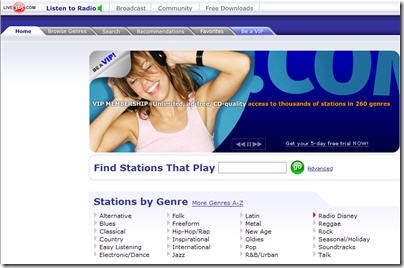
Live365 gives individuals and organizations a “voice” to be able to reach a global audience, while offering radio listeners an unparalleled choice in music and other audio content. Through easy-to-use tools and services, anyone with a computer and an Internet connection can create his or her own Internet radio station.

Yahoo! Music - listen to Internet radio and watch music videos on Yahoo’s music portal. It provides access to over 2 million songs.

AOL Music offers 200+ free online radio stations featuring XM Satellite Radio. AOL or AIM users can get AOL Radio free on your Mac with this simple download utility.

Yottamusic -is instant access to over 3.4 million songs right from your web browser — playable anywhere you have Internet access.

Music Discovery Tools
musicovery

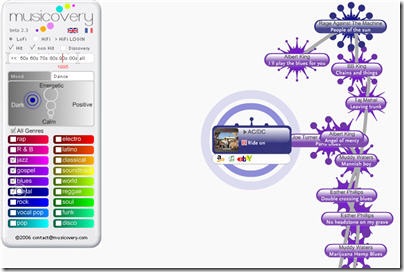
Musicovery - discover new music with this cool take on Internet radio.

MusicMesh offers to browse through artists based on their similarities; find tracklists and reviews for albums.

Deezer is the first juke box on demand totally free. Its concept is simple. It gives consumers a full and free access to all their favourite songs. -Pay artists and their producers through a revenue share based on our advertising revenues. Help discovering new artists through a wide audience.

Music Search Engines

SkreemR

Audiobaba is a next generation music search engine that allows you to find songs by acoustic similarity. Until now, there was no easy to way to browse for new music.

FindSounds is a free site for finding sound effects and musical instrument samples on the Web. It is a Web search engine, like Google and AltaVista, but with a focus on sounds. It provides powerful features, yet is simple and easy to use, and suitable for all ages.

eSpew is a popular directly linked mp3 search engine. It’s a free place to download great music.

Mp3Realm is an evolving search engine focused distinctively on audio in Mp3 format. Mp3Realm allows you to search for your favorite songs and clips, and filter them out by file duration. Your searches can be based on artist, title, genre or album.

Musipedia a searchable, editable, and expandable collection of tunes, melodies, and musical themes. Every entry can be edited by anybody. An entry can contain a bit of sheet music, a MIDI file, textual information about the work and the composer, and last but not least the Parsons Code, a rough description of the melodic contour.

SkreemR is a search engine for locating audio files on the web. It doesn’t host any files, but indexes what exists on the publicly accessible reaches of the Internet. Its goal is to make this content as searchable and useable to the Internet community as possible.

Social Networks
purevolume

iLike - a community that lets you share iTunes playlists with friends, get music picks and free MP3s to match your tastes, get notified when your favorite artists are playing near you.

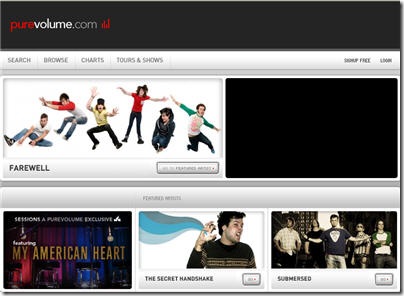
PureVolume is a “MySpace for music”

ProjectPlaylist helps you find and enjoy music legally throughout the web in the same way that other search engines help you find web pages, images, and other media, but Project Playlist also adds a social /community twist. It makes it easy for you to create playlists, share your playlists with friends, and browse playlists of others.

Imeem is an online community where artists, fans & friends can promote their content, share their tastes, and discover new blogs, photos, music and video. On imeem you can: create audio, video, and photo playlists from your own content and your own favourite stuff on the network. Recommend stuff to your friends or add it to your “Favorites” list. Enjoy the latest videos, music, photos, or blogs.

iJigg is a great site for both listeners and artists. Listeners can discover new music, rate music, download free MP3s, share music with friends. Artists can post all their music tracks, easily share the music, make new fans and become more popular.

MOG is your personalized gateway for music discovery. With MOG, you can find, share, and talk about the music you’re into, from Abba to Zappa. Whether you’re a die-hard music junkie, or just looking for inspiration for your latest party playlist, MOG is your essential online music source. Created by a passionate community of music lovers and powered by cutting edge music discovery technology, MOG makes it ridiculously easy to find new music, watch music videos, and read news and reviews that match your personal taste in music.

Fuzz is a music-focused community - designed by musicians for real bands and real fans. Fuzz is founded on and guided by artist-friendly values. It is for independent-minded fans & artists who support a revolution in the music industry. It empowers artists to take control of and manage their music careers as a business.

eListeningPost offers musicians tools and resources to promote and sell their music directly to their fans without needing to go through a middleman. eListeningPost allows the musicians to keep all the money generated directly from download sales, providing the musicians a return of as much as 94% of the sale price as well as giving them the lions share of advertising revenues associated directly to their music.

ProjectOpus is an online music community designed to support artists, fans and local music. It is a single point of contact for discovery of new music. It has two goals: make it easy for bands to self-publish music, find their audience and then get paid for the sale and licensing of their music, and make it easy for fans to find music they love and support the artists that make it.

Rapspace.tv is the world’s first and only broadband hangout for the global hiphop community. Whether you have rhymes to record, beats to drop, lyrics to blog or just want to check out the latest hot indie rapper, RapSpace.tv is the digital voice for all things hiphop.

Musocity is a music oriented online community. It currently provides accounts designed for music fans, artists, musicians, music retailers and music venues.

Haystack is a social networking, where you can discover new music by browsing playlists from friends, artists and tastemakers. Add songs you like to your own playlist and listen to full songs. Send songs - or your entire playlist! - to your friends.

Bandbuzz is a social community for both music fans and artists. If you are a music fan, you can share your favorite music, hear what your friends are listening to and vote on new and obscure music to generate a buzz. Help bands discover new fans while helping your friends discover new music.
Band or Artist? Build your profile and become one of the pioneering bands as you upload music that will be reviewed, rated and ultimately heard by thousands.

Midomi is the ultimate music search tool because it is powered by your voice. It is a comprehensive database of searchable music. You can contribute to the database by singing in midomi’s online recording studio in any language or genre.

Buzznet is a vibrant social media destination representing the next evolution of social networking. Buzznet distinguishes itself from traditional media sites and social networks that are focused on profile pages and communication tools by enabling Web users to program dynamic multimedia communities around the music and pop culture topics they are most passionate about. Buzznet allows its users to network like never before with leading bands, trendsetters and their peers through self-created content, videos, photos and journals.

At JukeboxAlive you can use a multitude of music services. Upload music, listen to music, share music with your friends, and even make new friends. Most of the services are available with a free musician account and advanced features are available for less than 20 cents a day. If you have music you want to share with the world, JBA is the perfect music promotion website for music marketing and exposure. You can sell CDs online, write a blog for your fans, and keep them up to date with your own online calendar.

MusicHawk - track bands and see band-related news and reviews, as well as information on gigs and new releases.

Grooveshark is a revolutionary music community that rewards users for sharing their music.

Dopetracks is a free music collaboration network where vocalists and producers meet and
compete for respect.

Funk Player is a personal music sharing community where authors can create an account to upload their songs. Everybody can bookmark, select, listen and comment works from the community library via the online player. A way for artists to broadcast their works, and for the world to discover new talents!

Soundflavor is the easiest way to find music that you like, make and share great playlists, and meet people with similar musical tastes along the way. It provides a powerful music search engine that allows you to find links to songs available elsewhere on the web. With Soundflavor’s advanced music recommendation technology, making playlists is a snap. Share your playlists with other people on Soundflavor.com, or post them on MySpace, other social networks and websites, or your blog. Recommend songs, artists, playlists, or other members that you discover to your friends. Invite your friends to become your “fan,” and they’ll be notified whenever you create a new playlist on Soundflavor.

FineTune is a community where you can create your own playlist! Explore the finetune community - browse artists, users, playlists and more. Listen to professionally managed playlists spanning todays most popular terrestrial radio formats. Embed your playlist in your blog or MySpace page.

Music Sharing Applications and Widgets


DotTunes enables you to share your iTunes music securely with friends, family and clients across the interne via any browser.

uPlayMe is free software that works with your media player like windows media player, iTunes, Winamp, (and many more in the future) and then tells you by sending an alert message to your desktop that someone else is playing the same song or video you just played. Then you can speak with each other through anonymous e-mails, instant messages or social network sites like MySpace.com.

BooMP3 - upload and share your MP3s. Free unlimited audio hosting. No registration required.

Goombah is a meaningful music community by providing an easy way for music lovers to discover new music and rediscover old favorites, and for artists to find their audience. Its source of music recommendations is its member libraries with currently more than 6 million unique tracks, and there is no limit.

Maestro allows remotely access, manage, and interact with your entire music library stored at home through any web browser. To start streaming music, you need to download the “Maestro Connector” and tell it where you stash your music. Manage your playlists through any browser, create new ones, listen anywhere, share with your friends, and add them to online social profiles including Facebook and MySpace!

Jamming

kompoz

Ejamming enables musicians to play together in real time as if in the same room even if they’re far away from each other . It expands the community of musicians through a new meeting ground.

Kompoz is a social workspace for musicians. Use it to compose new music with other artists around the world. Got an idea for a song? Record a track. Upload it. Then invite others to add drums, bass, vocals or anything else.

Indaba is an international community of musicians, music professionals, and fans exploring the creative possibilities of making music with people in different places. It makes finding other people, and working on recording, mixing, or mastering projects easier. For fans, Indaba provides unprecedented access to artists and to the creative process.

Remixing

splice

Jamglue is a thriving online community for creating and personalizing audio. It lets you upload and record music, remix it online, and share your hot mixes with everyone. On Jamglue, it’s simple and fun for fans to get involved with the music they love.

Splice is a place where you can find musicians from all around the globe. Make music with the world’s most advanced online sequencer, complete with real-time synths and DSP sound effects. Add your sounds to the common library. Get rated. Get remixed.

YourSpins allows to remix music from your favourite artists, share your mixes & meet other mixers, put your mix on your home page or blog, get ringtones from your own mixes.

Music Charts

billboard

Billboard is the Internet arm of Billboard magazine, the world’s premier music publication.

MTV’s music charts - MTV charts and videos. Videos playable only in the US.

ChartU focuses purely on the music. The main point is artists /bands/ groups get to ’show off’ their work to other people. Here you can vote on tracks to boost them up the chart.

Artist Databases

Allmusic is a place for music fans to indulge their passion. Visit allmusic to look up an out-of-print recording, to find out about a new release, or simply to explore the world of music and see where it may lead, you’ve come to the right spot.

Pandora Backstage contains artist profiles and discographies from the personalized streaming service. You can create a custom radio station straight from an artist’s page.

Lyric Databases

AbsoluteLyrics isagreat database of lyrics for all major artists.

Hot Lyrics - huge alphabetized lyrics database. Hard to navigate, but lots of content.

SING365 is the largest Internet music community website, where you can find lots of lyrics.

Audio Conversion Tools

Zamzar is dedicated to helping you transform your songs, videos, images and documents into different formats. Its mission is to provide high quality file conversion for as many file formats as possible.

Media Convert is 100% free. No software is needed, and you don’t have to register. You only need your favorite Internet browser. Your files are ready 7/7 days 24/24 hours. It supports a lot of formats.


Source : TechMagazine

Subscribe to: Posts (Atom)
Blog Widget by LinkWithin