Showing posts with label File Sharing. Show all posts
Friday, October 30, 2009

9 Free Apps That Makes Easy To Store And Share Your Files

Free file hosting is not a problem now a days but to find a good and high speed website that can help you to send or receive your large files in an easier way is really hard. . Some file hosting sites are really handy and make sharing data even simpler than sending a file via email while other services spam you with countless pop ups and forced membership options to simply download a file. But we don’t want you to worried at all. Hence this compilation has got the 8 of the Best Free Apps that makes Easy to Store and Share you valuable files.

SkyDrive

SkyDrive

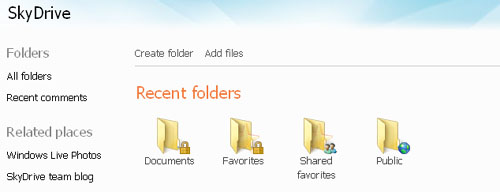
Windows Live SkyDrive works well on any Windows or Macintosh computer with Firefox 1.5 or higher, or Internet Explorer 6 or higher. 5 GB of free online storage, available from any computer with Internet access. You can create personal, shared, and public folders and you can decide who has access to each folder.
DivShare

DivShare

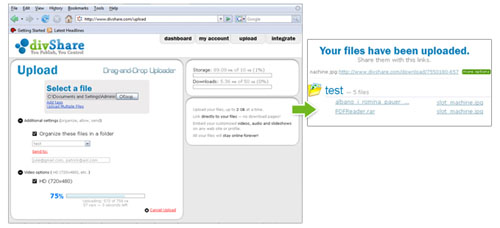
It’s really easy to upload all your photo, documents, videos and music to DivShare. You can create slideshows, audio playlists, flash videos and online document viewers that you can embed anywhere.
Wuala

Wuala

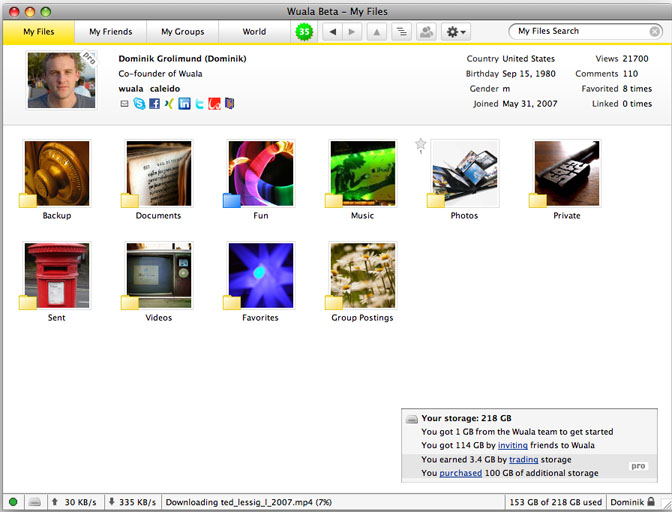
Wuala is a free social online storage which allows its users to securely store, backup, and access files from anywhere and to share files easily with friends, groups, and the world. Tens of thousands of users and thousands of communities around the world are already actively sharing millions of files, growing quickly.
Sky Store & Share

Sky Store & Share

Store & Share is a secure, online storage facility. This fantastic product is open to everyone – you don’t need to be a Sky customer. You can access from any computer with an internet connection and can share with friends and family.
Yuntaa

Yuntaa

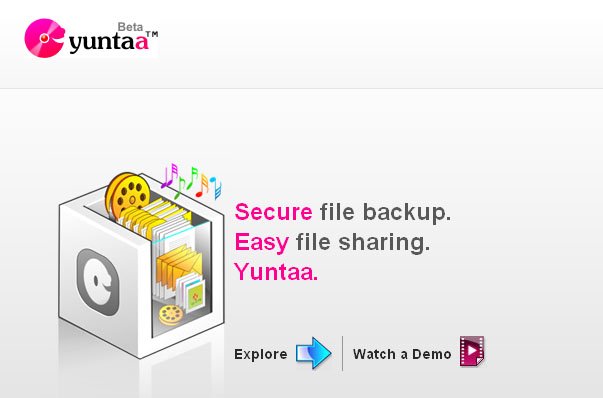
With Yuntaa, You can manage all your files online, just like you would on your desktop! They automatically recognise all your file types and categorize them for you. Files, Photos, Videos, Audios, access them all with a single click.

ADriveÂ

ADrive

ADrive offers complete and secure solutions to store, backup, share, access, and edit files from virtually anywhere, at any time. ADrive serves as an online, centralized vault for all important file types including: music, videos, photos, documents, and more.
zSHAREÂ

zSHARE

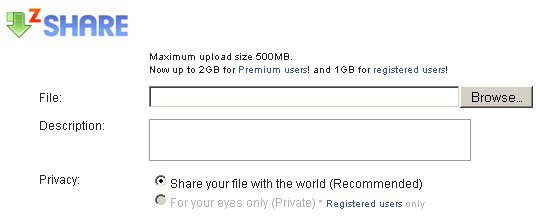
With zSHARE you can upload files, images, videos, audio and flash for free. Simply use the upload form below and start sharing. You can also use zSHARE as your personal file storage to backup your data and protect your files.
Orbitfiles

Orbitfiles

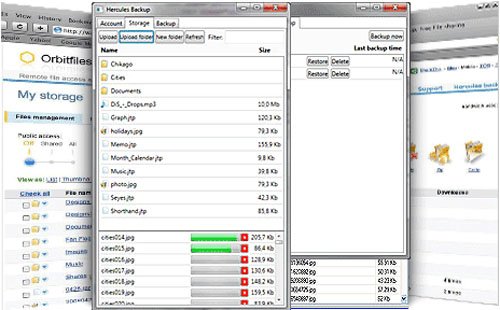
At Orbitfiles, there is plenty of space to store videos, photos or any other type of file safely & easily. This will also help you to send large files to your friends fast & securely, never email them again.


DropBox

The idea behind Dropbox,is that little to no effort should be put into keeping your desktop files

synced with “the cloud”. So the three founders have built a Python-based desktop client (available for both PCs and Macs) that acts like a regular folder on your machine. You can manage files within this folder just like elsewhere on your machine (add, edit, copy, and delete them) and changes will be automatically synced to Dropbox’s Amazon S3-backed storage, and very quickly at that.

Friday, January 30, 2009

Store just about anything online with Hordit


Are you tired of keeping track of various work or personal documents in multiple places? There are many websites that allow you to save your valuable information in just one location. Instead of logging in and out of several websites to retrieve your data, just simply visit one. This will save you time and aggravation when you need instant retrieval.

image

Hordit is a free website service that gives you the opportunity to save your information in an easily accessible area. Save your favorite photos, RSS feeds, PDF’s, and other documents to the website for later viewing. This comes in extremely handy when you’re traveling away from home or the office. Log into your Hordit account and never miss out on a chance to access something that’s needed.       

image

In order to get started with Hordit, you’ll need to take a few short minutes to register for a brand new account. It won’t cost you a thing to register and use. Enter a few basic details about yourself to begin the registration process. You’ll be asked to submit your name, email address, and create a password for your newly created account.     

image

Within a few minutes, a verification email will be sent to your registered emailaccount. Log into your account to discover some of its useful features. Hordit also conveniently keeps track of all regularly visited websites in the “Daily Read” section.

While browsing the net, you’ll frequently come across plenty of great websites. However, it may be a problem remembering the direct links if you gather a large collection of them. That won’t be a problem because Hordit has a built in tracking feature.        

image

If you’re constantly working from different computers, consider importing your bookmarks from Internet Explorer and Mozilla Firefox. Hordit will store this personal information so that you can visit your bookmarks anywhere there’s an Interconnection View the tutorials that will guide you through the process step by step.

image

Another great use for Hordit is its social networking capability. Not only can you store your own personal documents and favorite links on the website, but you can also view someone else’s. Once you’ve located someone that has a similar interest as you, connect with them and possibly gain a new friend. Hordit makes it extremely easy to track others that have something in common with you

image

Hordit  also offers unlimited storage without a fee. You’ll have a huge potential to store the information that matters most to you. Instantly access your RSS feeds, documents, and favorite websites from virtually any location. You won’t have to worry about losing access to something when you need it the most. When you get a chance, visit Hordit and give it a try.


Posted by Deepak at 11:39 AM | 0 comments  
Labels: , ,
Tuesday, February 19, 2008

File Sharing Round-up: The Only Ones You Need

Geeks need to shoot files over to someone all the time - video clips, movies, pictures, games distros, software programs etc. Most of the email providers restict you with a max. 10-20 MB attachments so sending files by email isn’t an option. Additionally, there are so many file sharing tools out there that sending large files as an email attachment became rather outdated.

Here you’ll find 5 file sharing services that standout from the rest and incorporate some unique features in one online application. These can be: extremely easy upload/organize/access features, anonymity, browser integration, etc.


(1) Drop.io - Anonymous and Private File Sharing

Drop.io is a terrific private file sharing and collaboration service. It is a great way to share video, photos, audio, docs etc. What would make your hearts burst with joy is the no-registration aspect. No email, no personal details or names - nothing! You are free to create as many drops (as they call it) as you want. Then, just shoot a link over to your pal and that’s it!

Drop.io - Secure and Private File Sharing

Additional Features

  • Supports all major file formats (docs, images, videos, music, etc.).
  • Create as many drops as you want (storage boxes).
  • Get a custom email address for each created drop: drop_name@drop.io.
  • Use drop_name@drop.io email address to add files to drops by emailing them.
  • It has a 100MB / drop storage limit.

For full feature list and video demo see: Drop.io : Private File Sharing and Collaboration

(2) Adobe Share - Document Storage and Sharing

Online document storage and sharing service from Adobe. It’s pretty and simple. After you register, they provide you 1GB worth of online storage space for your documents. The service allows you to share documents either with a list of named contacts or with everyone on the web. All you need to have is an Adobe ID, which you can get here.

Adobe Share

Additional Features

  • View all the documents you have shared or received in one place.
  • Access your documents from any system.
  • Post a link to (or embed) your document on a blog or wiki.
  • Send documents without email attachments.
  • Supported document formats: Microsoft Office 2003 and 2007, RTF, Open Office formats, PDF, image files, SWF, and more.

If looks don’t really matter and you need something with a lot more features (document viewing, editing, collaboration, etc.) then check out Google Docs.

(3) AllPeers - Sharing Files Straight from the Browser

AllPeers is cross-platform (Win, Mac, Linux) Firefox extension that lets you easily share files and webpages with friends right from the browser sidebar. It’s a feature-rich file sharing software that is fully-integrated with your Firefox browser. If you share files on a regular basis with lots of different people then definitely check AllPeers out. Check out demo video here.

AllPeers- P2P File Sharing

You can also drop by PipeBytes, it also works from the browser but way more simpler. Nothing to install or download, you simply select the file you want to transfer, get a pick-up code and send it over to recipient for pick-up.

(4) Pownce - Quick Mid-sized File Sharing

Awesome tool to send messages, share mid-sized files (up to 10 MB) and links, plan upcoming events and more. Only the people you choose get to see what you send. It can be accessed from the web or via desktop client. The free account has some file-size limitations - upto 10 MB in size, Premium gives you 100 MB file-size, ad-riddance, and a wider variety of themes.

Pownce

Additional Features

  • Access Pownce directly from your desktop using desktop clients (Windows, Mac, will be available for Linux soon)
  • Note: To create an account you need to get invited by existing member. To get invite go to InviteShare.

(5) DivShare - Unlimited File Sharing for Heavy Users

Another widely popular online file storage and sharing service. No storage limits. No download limits. Your files stay online forever. Integrate DivShare into Wordpress, Facebook and even your iPhone! Blogs can quickly and easily add their name, URL and logo to their hosted file pages via the dashboard.

Divshare - Unlimited File Storage and Sharing

Additional Features

  • Create and share professional slideshows using your video, audio, and image files.
  • Embed videos on your blog using Divshare video flayer.
  • All files stay online as long as you want.

Got another good file sharing application? Share it in comments.


Posted by Deepak at 10:42 PM | 0 comments  
Labels: ,
Subscribe to: Posts (Atom)
Blog Widget by LinkWithin