
 Posts
Posts


Track and record how you spend time on your computer using Slife
Ever wanted to know how you end up spending your time on your computer? Which applications you use the most and for how long? Wish you could see detailed statistics and analytics about your computer and Internet usage? Not just what web sites you visited, but how long you spent reading emails, chatting, blogging, etc?
Slife is a very cool freeware application that can be used to track all of your computer activities and make you more productive.
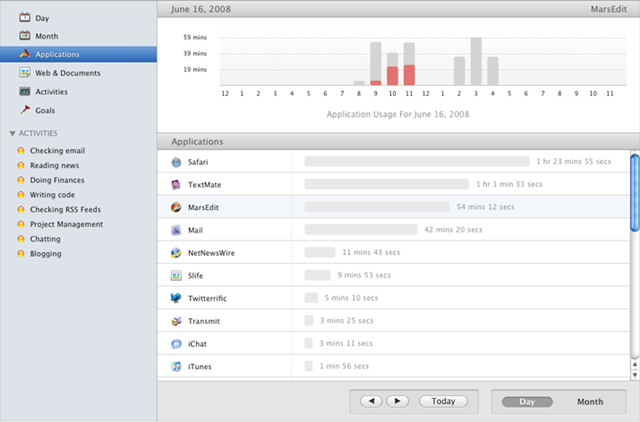
Slife automatically starts recording and tracking your computer usage once you install it. It will track usage of applications, web pages, documents, chats, emails, and just about everything else. After a few hours, you’ll start to see which programs you use the most.
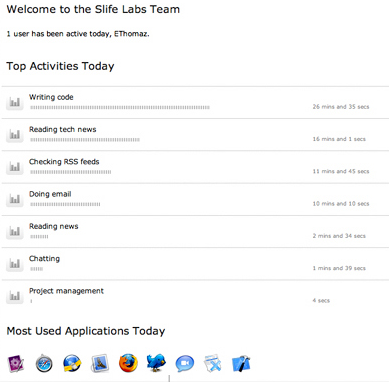
After using it for a few days, you can create what are called Activity Groups, like shown in the image above. Create a group called “Checking email” and add Gmail/Outlook or whatever your email client is to the group. Now you will be able to track your time by activity rather than just program.
If you click on Day, you can see which programs you use most on your computer for a particular day or for a particular period.
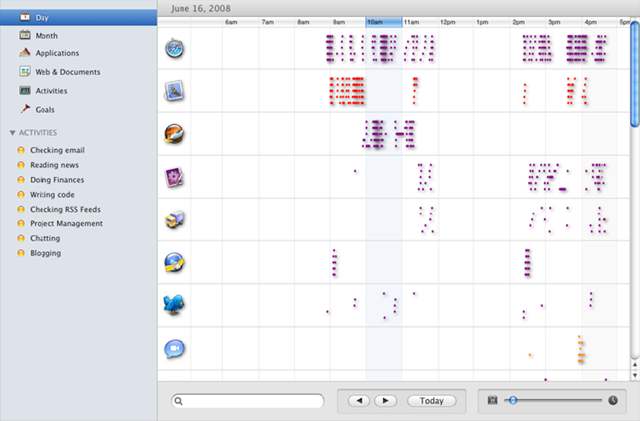
Here are some of the key features of Slife that make it really cool:
- Automatic Tracking – Once you install it and launch the program, it will sit in the system tray and record your activities, no need to configure or setup anything.
- Visual Interface – The best thing about Slife is it’s use of graphs, charts, and tables that let you visualize your computer usage by time and activities. You can view by day, month, and much more.
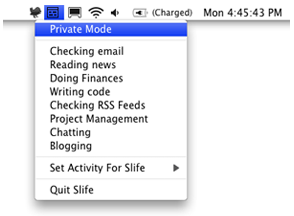
- Privacy Controls – At any time, you can turn off Slife so that it does not track your computer usage. You can also turn it off for particular programs or activities.
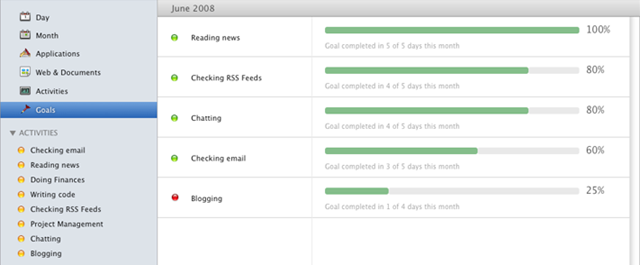
- Productivity Goals – Once you start tracking your activities and see how much time you are wasting chatting, you could implement a goal that will notify you if you go over the limit you set. For example, you can set a goal to not spend more than 1 hour reading and writing emails. It will also tell you how many days you met your goal, etc.
- Slife Teams – Most people might find this useless for personal purposes, but you can use Slife Teams as a communications and analytics tool for corporate teams. Using Slife, you can keep up to date with what everyone on your team is working on and for how long. Just download Slife onto each person’s computer, create a Team account, and visit the team homepage online.
Overall, it’s a great time tracking and analytics tool for anyone who wants to see how they end up spending their time while on the computer. And it’s free! Enjoy!
